

How to Clean OLED Screens, Smart Thermostats, and Home Automation Panels Safely | House Cleaning Irving TX
Modern homes are becoming smarter every year. From OLED televisions and smart thermostats to home automation control panels, touchscreens are now part of daily life. While these devices add convenience and style, they also require special care when cleaning.
Many homeowners accidentally damage expensive displays by using the wrong cleaning products. A quick spray of glass cleaner may seem harmless, but it can strip protective coatings, leave streaks, or even cause permanent screen damage. Understanding the difference between proper screen care and traditional household cleaning can save hundreds — or even thousands — of dollars in replacement costs.
If you’re searching for house cleaning Irving TX services and want to keep your technology looking spotless without risking damage, this guide explains exactly how to clean OLED screens, smart thermostats, and home automation panels safely.
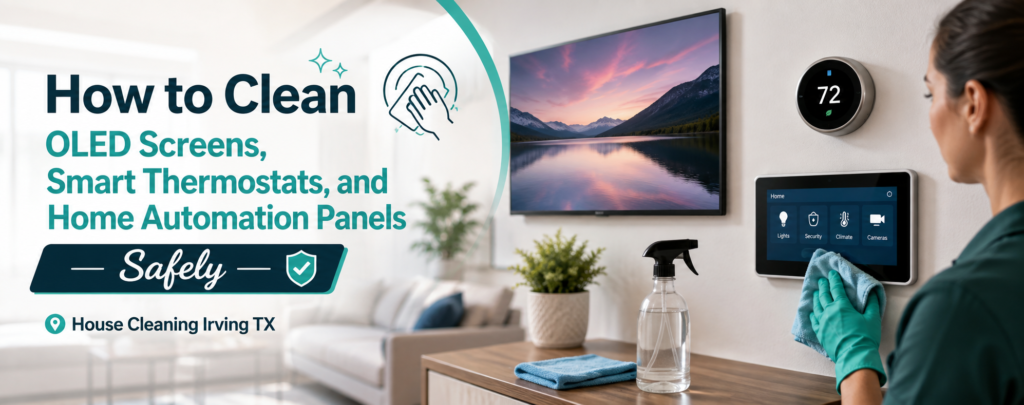
Why Smart Home Screens Need Special Cleaning
Traditional glass surfaces like mirrors and windows are designed to withstand stronger cleaning chemicals. OLED screens and smart control panels are different.
Most modern displays feature:
- Anti-reflective coatings
- Oleophobic coatings that resist fingerprints
- Sensitive touch sensors
- Delicate display layers
- Specialized finishes designed for image quality
Using ammonia-based glass cleaners, abrasive cloths, paper towels, or excessive moisture can degrade these protective layers.
Many homeowners contact irving cleaning services after realizing their screens have become cloudy, streaked, or scratched due to improper cleaning methods.
The good news is that safe cleaning is actually simple when you use the correct materials.
Understanding OLED Screens
OLED (Organic Light Emitting Diode) displays are common in:
- Smart TVs
- High-end computer monitors
- Tablets
- Smartphones
- Smart mirrors
Unlike older display technologies, OLED panels produce incredible contrast and vibrant colors. However, the screen surface is more sensitive than many people realize.
Common OLED Cleaning Mistakes
Avoid these common errors:
- Spraying cleaner directly onto the screen
- Using paper towels
- Applying excessive pressure
- Using window cleaner
- Cleaning with rough cloths
- Using alcohol concentrations higher than manufacturer recommendations
Professional cleaners understand that protecting electronics requires different techniques than standard dusting and sanitizing.
Many homeowners who use maid service Irving TX providers specifically request careful cleaning around entertainment centers and home office equipment.
The Golden Rule: Dry Before Damp
The safest approach for most smart displays follows one simple principle:
Step 1: Start Dry
Before using any moisture:
- Turn off the device
- Allow the screen to cool
- Use a clean microfiber cloth
- Gently remove dust and loose debris
This step alone often removes most visible dirt.
Step 2: Use Minimal Moisture
If fingerprints or smudges remain:
- Lightly dampen the microfiber cloth
- Never spray liquid directly onto the screen
- Wring out excess moisture
- Wipe gently in straight motions
The cloth should be slightly damp — not wet.
This method is frequently recommended by manufacturers and trusted by professionals providing house cleaning Irving Texas services.
Why Microfiber Matters
Not all cloths are created equal.
Microfiber is specifically designed to:
- Trap dust particles
- Reduce scratching
- Remove oils safely
- Prevent lint buildup
Avoid These Materials
Never clean screens with:
- Paper towels
- Facial tissues
- Cotton towels
- Old rags
- Sponges
These materials may seem soft but can create microscopic scratches that become visible over time.
Many professional cleaners Irving maintain separate microfiber cloths exclusively for electronics to avoid cross-contamination from household cleaning products.
Cleaning Smart Thermostats Safely
Smart thermostats such as touchscreen climate control systems are among the most frequently touched devices in a home.
Fingerprints, dust, and skin oils accumulate quickly.
Safe Cleaning Process
- Turn off power if recommended by the manufacturer.
- Use a dry microfiber cloth first.
- Remove dust around edges and vents.
- For stubborn fingerprints, slightly dampen the cloth with distilled water.
- Wipe gently.
- Dry immediately with another microfiber cloth.
What to Avoid
Never:
- Spray cleaner directly on the thermostat
- Saturate edges with moisture
- Use abrasive disinfecting wipes
- Scrub aggressively
Many homeowners scheduling deep cleaning Irving TX services request careful cleaning of smart home devices because they understand the replacement cost of these systems.
Cleaning Home Automation Panels
Whole-home automation systems often include wall-mounted touchscreens that control:
- Lighting
- Security systems
- Cameras
- Audio systems
- Climate settings
- Smart locks
These panels are essentially specialized computers.
Recommended Cleaning Method
For routine maintenance:
- Dust weekly
- Use anti-static microfiber cloths
- Remove fingerprints gently
- Avoid chemical cleaners
Why Anti-Static Care Matters
Static electricity attracts dust.
When screens accumulate static charge:
- Dust settles faster
- Displays appear dirty sooner
- Cleaning frequency increases
Using quality microfiber products helps reduce static buildup while maintaining screen clarity.
This attention to detail is one reason homeowners seek reliable house cleaning services in Irving TX for ongoing maintenance.
Protecting Anti-Reflective Coatings
One of the biggest concerns with modern displays is preserving anti-reflective coatings.
These coatings help:
- Reduce glare
- Improve visibility
- Enhance contrast
- Create a premium appearance
Unfortunately, harsh cleaners can gradually strip these coatings away.
Signs of Coating Damage
Watch for:
- Cloudy patches
- Rainbow discoloration
- Permanent streaks
- Uneven reflections
Once damaged, these coatings often cannot be repaired.
Professional technicians and experienced cleaning company Irving TX teams know that prevention is far easier than replacement.
The Best Cleaning Products for Smart Screens
Less is more when cleaning electronics.
Safe Options
Generally safe choices include:
- Dry microfiber cloths
- Distilled water
- Manufacturer-approved screen cleaners
Products to Avoid
Avoid:
- Glass cleaner
- Ammonia-based products
- Bleach
- Vinegar solutions
- Abrasive cleaners
- Multi-surface sprays
A common misconception is that stronger cleaners provide better results. In reality, delicate electronics usually require the gentlest approach.
How Often Should Smart Devices Be Cleaned?
Frequency depends on usage.
OLED Televisions
- Dust weekly
- Remove fingerprints as needed
Smart Thermostats
- Wipe every one to two weeks
Home Automation Panels
- Clean weekly in high-traffic areas
Regular maintenance prevents buildup and reduces the need for aggressive cleaning later.
Many homeowners who schedule recurring cleaning Irving appointments include technology dusting as part of their regular home care routine.
Cleaning Electronics During Deep House Cleaning
During larger cleaning projects, electronics are often overlooked.
A comprehensive cleaning plan should include:
- Television screens
- Gaming monitors
- Smart thermostats
- Touchscreen appliances
- Home automation hubs
- Smart speakers
When homeowners book weekly cleaning Irving TX or periodic deep cleaning services, these devices often require specialized attention separate from standard surface cleaning.
Smart Home Cleaning Tips for Families
Homes with children and pets face additional challenges.
Fingerprints
Touchscreens attract fingerprints constantly.
Keep a dedicated microfiber cloth nearby for quick touch-ups.
Pet Hair
Pet hair creates static buildup and dust accumulation around electronics.
Regular dusting helps prevent ventilation issues.
Sticky Residue
Never scrape residue with sharp objects.
Instead:
- Use a slightly damp microfiber cloth
- Work slowly
- Repeat as necessary
These methods help maintain expensive equipment while preserving appearance.
The Role of Eco-Friendly Cleaning Around Electronics
Many homeowners prefer safer cleaning products throughout their homes.
Choosing eco friendly cleaning Irving practices can also benefit sensitive electronics.
Advantages include:
- Fewer harsh chemicals
- Reduced residue
- Better protection for coatings
- Safer indoor air quality
The key is selecting products specifically designed for electronic surfaces rather than applying general-purpose cleaners everywhere.
Technology Cleaning During Move-In and Move-Out Cleaning
Technology is often forgotten during relocation.
Whether preparing a property for sale or moving into a new home, smart devices deserve special attention.
Professional teams providing move out cleaning Irving and move in cleaning Irving TX services frequently encounter:
- Dust-covered thermostats
- Smudged security panels
- Dirty smart home hubs
- Fingerprint-covered screens
Careful cleaning helps these devices look newer and function better for incoming residents.
Apartment and Office Technology Cleaning
The same principles apply beyond residential homes.
Apartment Living
Residents seeking apartment cleaning Irving services often have:
- Smart TVs
- Streaming devices
- Gaming systems
- Smart speakers
Office Environments
Businesses using office cleaning Irving TX solutions frequently maintain:
- Conference room displays
- Interactive whiteboards
- Scheduling panels
- Smart thermostats
Commercial technology investments deserve proper care to maximize lifespan and appearance.
Post-Construction Cleaning and Electronics
Construction dust is particularly dangerous for electronics.
Fine dust particles can:
- Settle on screens
- Enter ventilation systems
- Scratch surfaces during cleaning
Following renovations, homeowners often need post construction cleaning Irving services to safely remove dust from both traditional surfaces and smart home technology.
Using the correct microfiber techniques becomes especially important during these projects.
Why Professional Cleaning Experience Matters
Not every cleaner understands the differences between household surfaces and electronic displays.
Experienced teams know:
- Which products are safe
- How much moisture to use
- How to protect coatings
- How to prevent scratches
- How to reduce static buildup
This knowledge helps homeowners avoid costly mistakes.
Whether you’re looking for affordable maid service Irving, professional maid service near Irving Texas, or the best cleaners in Irving TX, asking about electronics cleaning procedures is always worthwhile.
Combining Technology Care with Whole-Home Cleaning
Smart device maintenance works best when integrated into a complete cleaning routine.
Regular services such as:
- Residential cleaning Irving
- Commercial cleaning Irving
- Carpet cleaning Irving TX
- Same day cleaning Irving TX
- Deep home cleaning services
can help reduce overall dust levels, which means cleaner screens and less frequent device maintenance.
A cleaner home environment benefits both traditional surfaces and modern technology.
Conclusion
Smart home technology is a significant investment, and proper cleaning helps protect that investment for years to come. OLED televisions, smart thermostats, and home automation panels require a gentle approach that prioritizes anti-static care, microfiber cleaning, and preservation of delicate anti-reflective coatings.
Remember the most important rule: start with a dry microfiber cloth and only use minimal moisture when necessary. Avoid harsh chemicals, glass cleaners, and abrasive materials that can permanently damage expensive displays.
For homeowners searching for house cleaning Irving TX, working with a top cleaning company Irving Texas that understands modern technology care can make a significant difference. Whether you need deep cleaning Irving TX, trusted home cleaners in Irving Texas, or affordable deep cleaning services in Irving, proper screen care should always be part of a comprehensive cleaning strategy. Protect your smart devices today, and they’ll continue looking and performing their best for years to come.
Contact us at 214–597–6654 or visit https://cowboyscleaning.com/home-cleaning-irving-tx/ to book your service.