

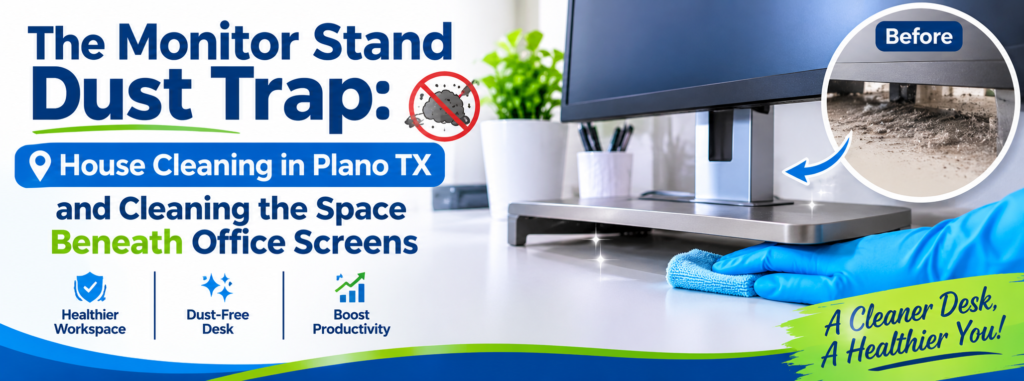
The Monitor Stand Dust Trap: House Cleaning in Plano TX and Cleaning the Space Beneath Office Screens
A clean workspace can make a big difference in how comfortable and organized your home or office feels. However, even when a desk looks tidy, there may be a hidden collection of dust, hair, crumbs, and debris sitting directly beneath your computer monitor. The monitor stand dust trap is an often-overlooked cleaning problem because the equipment rarely moves during everyday use. For homeowners and business owners looking for dependable house cleaning Plano TX, understanding how dust accumulates around office equipment can help maintain a cleaner and more comfortable workspace.
Monitor stands, cable openings, desk corners, and the spaces behind computer screens are common areas where dust gradually collects. These spaces are difficult to reach with an ordinary duster, especially when several electronic devices and cables occupy the same desk.
Over time, dust can form visible layers around monitor bases and settle into narrow openings. Although these areas may seem insignificant, neglecting them can make an otherwise organized workspace look dirty and poorly maintained.
The solution is not simply to wipe everything down. Cleaning around electronics requires the right techniques, appropriate supplies, and a little extra attention to prevent accidental damage.
Whether you work from home, manage a busy office, or maintain a dedicated computer area, this guide explains how to identify hidden dust traps and clean them safely.
Why Monitor Stands Become Dust Collection Points
Computer monitors usually remain in the same position for extended periods. Unlike keyboards, mouse pads, and other frequently handled desk accessories, monitor stands are rarely lifted or moved during regular cleaning.
This creates an opportunity for dust and debris to accumulate underneath and around their bases.
Several everyday activities contribute to this problem:
- Air circulation: Moving air carries dust particles that eventually settle on desk surfaces and equipment.
- Fabric fibers: Clothing, upholstered chairs, curtains, and nearby carpets release small fibers that can collect around workstations.
- Paper and packaging: Documents, notebooks, and office supplies can introduce small particles into the workspace.
- Cable congestion: Multiple cords create narrow spaces where dust becomes difficult to remove.
- Limited cleaning access: Monitor stands and electronic equipment often prevent people from reaching the entire desk surface.
For households with dedicated home offices, these conditions can gradually create noticeable dust accumulation.
The problem can become even more significant in commercial environments where employees use the same workstations for several hours each day.
Four Hidden Areas Where Office Dust Accumulates
Cleaning a desk properly requires looking beyond the visible desktop. Some of the dirtiest areas are located underneath equipment and inside spaces that are rarely disturbed.
1. The Space Beneath Monitor Stands
The area directly beneath a monitor stand is one of the most commonly neglected parts of a workstation.
Dust settles around the stand’s base because the equipment creates a sheltered area that ordinary wiping may not reach.
Depending on the monitor design, this space may contain:
- Fine dust particles.
- Hair and fabric fibers.
- Small paper fragments.
- Crumbs from nearby snacks.
- Residue from everyday desk use.
Flat monitor bases can trap dust around their entire perimeter. Meanwhile, stands with narrow legs may allow debris to collect in the open spaces between their supports.
To clean this area, first make sure the monitor is stable. Follow the manufacturer’s instructions before moving or adjusting the equipment. If the stand cannot be safely moved, use a clean microfiber cloth or a soft detailing brush to reach accessible spaces.
Never pull the monitor by its screen or apply pressure to the display while cleaning.
2. Cable Openings and Wire Management Holes
Cable openings are another major dust trap.
Many desks include small openings that allow power cords, charging cables, and computer connections to pass through the surface. While these openings help keep workspaces organized, their edges can collect dust and small debris.
Dust may also accumulate around cable clips, wire organizers, and the spaces where cords meet the desk.
Common signs of buildup include:
- Dust around circular cable openings.
- Debris trapped between cords.
- Dust collecting behind cable organizers.
- Visible particles near power connections.
Use a dry microfiber cloth to wipe accessible surfaces around cable openings. A soft brush can help remove loose dust from narrow spaces.
Avoid inserting cleaning tools into electrical connections or pulling on cables to create more cleaning space. Never spray liquid cleaner directly into cable openings.
3. Desk Corners and Back Edges
The corners of office desks are easy to overlook, especially when they are occupied by monitor accessories, speakers, charging stations, and decorative items.
Dust tends to collect along the back edge of a desk because it is often difficult to reach without moving equipment.
The corners behind monitors can also become storage areas for small objects and forgotten debris.
To address these spaces:
- Remove loose papers and unnecessary items.
- Move removable desk accessories carefully.
- Wipe the back edges with a microfiber cloth.
- Use a soft brush for narrow corners.
- Check the spaces between the desk and nearby walls.
For desks positioned against walls, pay attention to the narrow gap behind the workstation. Dust can accumulate there without being noticed during regular cleaning.
4. The Area Behind Computer Screens
The back of a computer monitor can also collect dust, particularly around ventilation openings and external connections.
Electronic equipment may release heat during operation, and ventilation systems can draw in surrounding air. Dust can gradually accumulate around accessible vents and exterior surfaces.
However, these areas require special care.
Never insert cotton swabs, brushes, or other objects deep into ventilation openings. Avoid using household vacuum attachments directly against delicate electronic components unless the manufacturer specifically permits the method.
For routine maintenance, follow the manufacturer’s cleaning recommendations and use only approved tools.
How to Clean Beneath Monitor Stands Safely
Cleaning around computer equipment is different from cleaning an ordinary countertop. Electronics contain delicate components, and careless cleaning can lead to scratches, moisture damage, or accidental disconnections.
A careful process helps remove everyday dust without putting expensive equipment at risk.
Step 1: Organize the Workspace
Before cleaning, remove items that are not connected to the computer.
Put away notebooks, pens, paper clips, cups, and other desk accessories.
Organizing the workspace makes it easier to identify dust accumulation and prevents loose items from getting in the way.
If equipment needs to be repositioned, consult its instructions and avoid moving anything that feels unstable or difficult to handle.
Step 2: Turn Off Equipment When Appropriate
For more detailed exterior cleaning, turn off the monitor and follow the manufacturer’s instructions regarding power disconnection.
If unplugging is necessary, handle plugs carefully and never pull equipment by its cords.
Allow equipment to cool before cleaning if it has been operating for an extended period.
This helps reduce the risk of accidental damage and makes it easier to inspect the surrounding surfaces.
Step 3: Remove Loose Dust
Use a clean, dry microfiber cloth to remove dust from accessible desk surfaces.
Start with the areas around the monitor stand, then work toward the desk corners and back edges.
A soft, clean detailing brush can help loosen dust from narrow spaces.
Avoid using rough cloths, abrasive pads, or excessive pressure near electronic equipment.
Step 4: Clean Cable Openings and Accessible Spaces
Carefully wipe the exterior edges of cable openings and the surrounding desk surface.
If cords are grouped together, clean the accessible spaces around them without pulling or twisting the cables.
Do not allow moisture to enter cable openings, electrical connections, or power strips.
For heavily congested workstations, cleaning one accessible section at a time is safer than trying to move everything at once.
Step 5: Clean the Monitor’s Exterior
Use a microfiber cloth and follow the manufacturer’s recommendations for the monitor housing and display.
Screen surfaces require special attention because some cleaning products can damage protective coatings.
Avoid:
- Spraying liquids directly onto the screen.
- Using window cleaner or household chemicals unless approved.
- Applying excessive pressure.
- Using paper towels or abrasive materials.
- Allowing moisture to enter ventilation openings.
For the display itself, use a screen-safe cleaning method recommended by the manufacturer.
Step 6: Inspect the Workspace Before Reassembling
Once the accessible surfaces are clean, check the monitor stand, cable openings, and surrounding desk corners.
Get Cowboys Cleaning Services’s stories in your inbox
Join Medium for free to get updates from this writer.Subscribe
Remember me for faster sign in
Make sure no cleaning cloths, loose materials, or moisture remain near electronic equipment.
Return removable accessories to their original positions and ensure that cables are not tangled or strained.
A final inspection helps prevent dust from being overlooked during the cleaning process.
How Often Should You Clean Your Office Desk and Monitor Area?
The best cleaning schedule depends on how frequently the workspace is used and how quickly dust accumulates.
A home office used occasionally may require less frequent detailed cleaning than a workstation occupied throughout the day.
However, consistent maintenance makes a noticeable difference.
Daily maintenance:
- Remove food crumbs and loose debris.
- Keep drinks away from electronic equipment.
- Wipe visible spills promptly.
- Organize papers and desk accessories.
Weekly maintenance:
- Wipe the accessible desktop.
- Clean around the monitor stand.
- Remove visible dust from cable openings.
- Clean desk corners and frequently touched surfaces.
- Wipe accessible exterior surfaces of office equipment.
Monthly maintenance:
- Inspect areas beneath removable accessories.
- Check behind monitors and desk organizers.
- Clean accessible spaces around cable management systems.
- Inspect the workstation for accumulated dust.
- Review areas that may have been missed during weekly cleaning.
A consistent schedule prevents dust from developing into thick, difficult-to-remove layers.
Common Office Cleaning Mistakes That Can Damage Electronics
While keeping a workstation clean is important, using the wrong cleaning technique can create unnecessary problems.
Here are several mistakes to avoid when cleaning around monitors and other electronic equipment.
Spraying Cleaner Directly Onto Equipment
Liquid cleaners should never be sprayed directly onto computer screens, monitor stands, keyboards, or electrical connections.
Instead, follow the manufacturer’s instructions and apply approved products to a microfiber cloth when appropriate.
This reduces the possibility of liquid entering sensitive areas.
Using Excessive Pressure
Monitor screens and delicate electronic components can be damaged by unnecessary pressure.
Use gentle movements when wiping exterior surfaces, and never press hard against the display.
Using the Wrong Cleaning Materials
Rough towels, abrasive sponges, and paper products can scratch certain surfaces.
A clean microfiber cloth is generally a better choice for everyday dust removal.
Pulling or Moving Connected Cables
Moving equipment without checking its connections can loosen plugs or damage cables.
Always inspect the setup before repositioning equipment. If something cannot be moved safely, clean the accessible areas instead.
Ignoring the Space Beneath Equipment
One of the biggest mistakes is cleaning only what is immediately visible.
A desk may look clean from above while dust remains underneath the monitor stand, around cable openings, and along the back edges.
Moving removable accessories carefully and cleaning accessible hidden spaces makes the process more thorough.
Why Clean Workstations Matter in Homes and Offices
A workstation is often one of the most frequently used areas in a home or commercial property.
People spend hours working, studying, attending meetings, and managing everyday responsibilities at their desks.
When dust and clutter accumulate, the workspace can become uncomfortable and difficult to maintain.
Regular cleaning helps:
- Keep desk surfaces looking organized.
- Reduce visible dust accumulation.
- Prevent debris from collecting around equipment.
- Maintain the appearance of office furniture.
- Make routine workstation maintenance easier.
- Create a more pleasant environment for working.
For businesses, maintaining clean workstations also contributes to the overall appearance of the workplace.
Employees and visitors notice details, including dusty desks, neglected corners, and dirty shared equipment areas.
A consistent office cleaning routine helps businesses maintain a professional environment.
Professional House Cleaning and Office Cleaning in Plano TX
Cleaning beneath monitor stands and around office equipment may seem like a small responsibility, but it is one of many details that can be missed during everyday maintenance.
For busy homeowners, remote workers, and business owners, finding time to clean every corner of a property can be challenging.
Professional house cleaning Plano TX services can help maintain residential spaces, while specialized office cleaning arrangements can address workspaces and shared business areas.
A detailed cleaning routine may include:
- Dusting accessible furniture and desk surfaces.
- Cleaning accessible spaces around office equipment.
- Wiping shelves, cabinets, and decorative surfaces.
- Cleaning desk corners and other neglected areas.
- Removing dust from accessible baseboards.
- Cleaning floors and high-traffic areas.
- Addressing accumulated dirt during deep cleaning visits.
The exact services depend on the cleaning agreement, the property’s needs, and the type of equipment present.
Choosing Between Regular Cleaning and Deep Cleaning
Not every property requires the same level of cleaning.
Regular maintenance is helpful for homes and offices that receive consistent attention. It addresses everyday dust, surface dirt, and common household messes.
However, properties with neglected workstations, accumulated dust, or areas that have not been cleaned thoroughly in some time may benefit from a more detailed cleaning.
A deep cleaning service can provide additional attention to accessible areas that are frequently missed during routine maintenance.
For homeowners preparing to move, move-in and move-out cleaning can also help address neglected surfaces throughout the property.
Whether you need recurring residential cleaning or a more detailed cleaning appointment, choosing the right service can make maintaining your environment much easier.
Keep Your Workspace Cleaner with Cowboys Cleaning
The monitor stand dust trap is a perfect example of how dirt can accumulate in places that are easy to overlook. Even when a desk appears organized, dust may remain beneath monitor bases, around cable openings, and inside narrow desk corners.
The key is to clean these areas carefully, use equipment-safe techniques, and establish a consistent maintenance schedule.
If you are searching for reliable house cleaning Plano TX, Cowboys Cleaning is here to help you maintain a cleaner and more comfortable environment.
From routine residential cleaning to detailed cleaning needs, giving attention to overlooked surfaces can make a meaningful difference in the overall appearance of your property.
Don’t let hidden dust take over your workspace. Keep your home and office looking their best with professional cleaning assistance from Cowboys Cleaning.
Contact us at 214–597–6654 or visit https://cowboyscleaning.com/house-cleaning-services-plano/ to book your service.